You’ve probably already heard of OpenClaw (and if not, you will soon)—perhaps not so much about NemoClaw. But what are they? What are they used for? How do they differ?
Imagine a company with an employee who never gets tired, never forgets an order, can read email, check calendars, search for suppliers online, and even execute commands on various systems; all without taking a break. That worker isn’t science fiction: it’s called OpenClaw, and its enterprise-grade version is called NemoClaw.
For now, although this employee can be taught to work with sensors and physical actuators, it performs best in the digital realm. Needless to say, this is changing, and soon we’ll also have operators that are humanoid robots in companies, interacting in the physical world just like any other employee.
In a world where productivity is measured in minutes saved rather than hours worked, automation projects are key. Both OpenClaw and NemoClaw represent the leap from passive chatbots to autonomous agents that actually get things done.
What is OpenClaw?
OpenClaw (formerly Clawdbot and Moltbot) is an autonomous, open-source AI assistant created by Austrian programmer Peter Steinberger. You can think of it as a digital employee that lives inside a computer and communicates with humans via the command line, or through more user-friendly channels like WhatsApp, Telegram, Discord, or Slack.
It’s not just a chatbot that answers questions—it’s much more. It’s a proactive agent: it can read and write files, execute commands on different systems, browse the internet, manage emails, schedule meetings, fill out forms, or even control IoT devices. And it does so 24/7, remembering everything it has been told (persistent memory) and able to improve simply by creating new “skills” (plugins we can generate autonomously using AI).
We can even tell it what personality we want it to have or how we want it to treat us.
How it works in practice
- It runs locally on Mac, Windows, and Linux without requiring specific hardware; it even works on a Raspberry Pi.
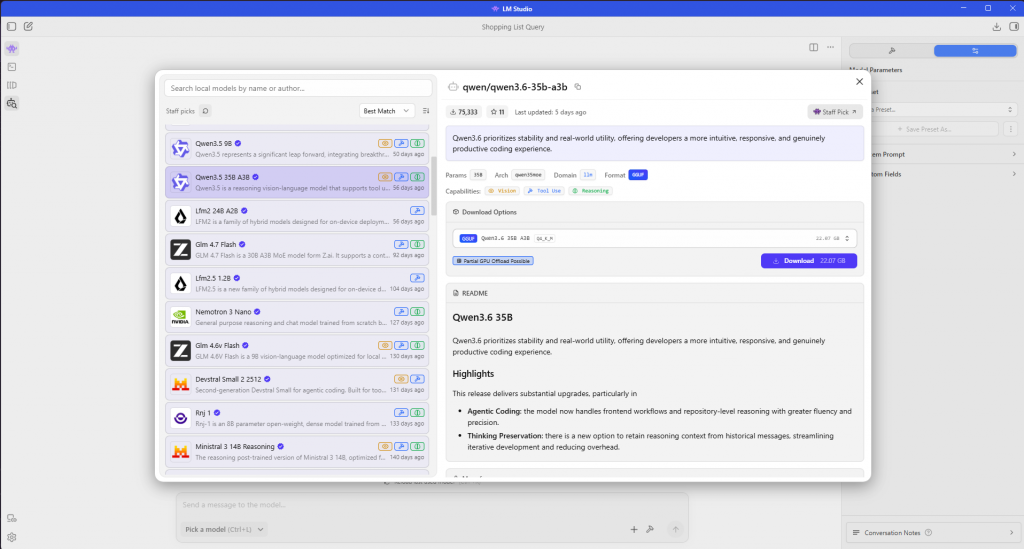
- It connects to remote LLMs like Claude or GPT or to local models like Ollama or LMStudio.
- It receives instructions via chat, such as “Check my inbox and archive all spam” or “Find the best supplier for components for our production line and prepare a comparative report for me.”
- It executes the task step by step, carrying out the specified command, notifying you or acting exactly as instructed. You can configure it to ask for permission or not before executing each action.
It’s like having a personal assistant who never takes a vacation and who can also coordinate other “claws” (specialized agents) to solve complex problems. OpenClaw has a very active community that has already created hundreds of skills for GitHub, Obsidian, and many others, including business tools like the Office suite.
What is NemoClaw?
We can think of NemoClaw as the “OpenClaw with a safety helmet” version provided by NVIDIA.
As they said in Spider-Man, recalling Damocles:
With great power comes great responsibility
And we’ve seen that OpenClaw is powerful… but it’s also like handing over all the keys to the factory to a very smart intern.
This is where NemoClaw comes in, the open-source stack that NVIDIA launched in March 2026 at GTC.
NemoClaw isn’t a competitor to OpenClaw; rather, it’s a security shield that wraps around it. NemoClaw uses OpenShell technology (part of the NVIDIA Agent Toolkit) to create isolated sandboxes, enforce privacy policies, control which data can leave the system, and require human approval for critical actions. OpenClaw could literally access the entire file system of the machine where it runs and do whatever it wants with it; as mentioned, the intern with all the keys to the factory.
In short: OpenClaw is the creative brain; NemoClaw is the industrial safety supervisor that prevents the brain from causing an accident.
Benefits in a Business Environment
Consider a traditional industrial plant: workers perform repetitive tasks, engineers solve problems, and managers make decisions. OpenClaw + NemoClaw would be like automating all three layers at once.
Benefits
- Multiplied productivity: A single agent can manage an entire department’s inboxes, schedule meetings, monitor KPIs, generate daily reports, and take action based on those reports… For example, a few days ago I was told that at a logistics SME, they had used OpenClaw to read emails and respond using templates, reducing customer response times by 80% (some were still being answered manually) without compromising service quality.
- Low-cost scalability: It is open-source, so we save on licenses, and it can run on standard hardware. The only limit is the model chosen to complement OpenClaw.
- Extreme customization: You can create specialized agents (“CEO Claw,” “Process Engineer Claw,” “Compliance Claw”) with specific personalities (e.g., “sweet-toned, patient, and providing thorough, detailed explanations; formal address,” or “efficient, very executive-like, and rude when the same orders are repeated”).
- Compliance: With NemoClaw, compliance with regulations such as GDPR, ISO 27001, and SOC2 is easier thanks to sandboxing, traffic control, and granular policies.
Risks: The Dark Side of Giving Superpowers to AI
Like any powerful tool, you must be careful how you use it to get the most out of it while minimizing risks.
Risks of pure OpenClaw
- Excessive Access: It can read/write any file and execute commands. A malicious prompt or a reasoning error could delete critical data or leak sensitive information.
- Lack of control: In a large company, who audits what the agent did at 3 a.m.?
- Resource consumption and API costs: If cloud-based models are used, the bill can skyrocket very quickly without proper control.
- Operational security: If it runs on the same server as another critical program, a failure could compromise the entire infrastructure.
This is where NemoClaw helps by mitigating nearly all these risks with container isolation, approval workflows, sensitive data blocking, and predefined risk profiles. But even with NemoClaw, it remains recommended (necessary) to:
- Use a dedicated server or isolated virtual machine.
- Periodically review the logs.
- Define clear policies regarding “what it can and cannot do.”
The risk of incurring high costs from using cloud-based models can be mitigated by setting quotas on the models, configuring agents within OpenClaw (so that agents using more expensive models are reserved for truly difficult tasks), or using local models, such as those available through Ollama, or LM Studio.
How can we use these tools?
I recommend visiting the pages for each product to get the most out of them, but for those who want to try them out quickly, let’s take a quick look at the main steps:
Step 1: Install OpenClaw (basic version)
Open a terminal and paste the following:
curl -fsSL https://openclaw.ai/install.sh | bashOn Windows, you’ll need WSL. https://learn.microsoft.com/en-gb/windows/wsl/about
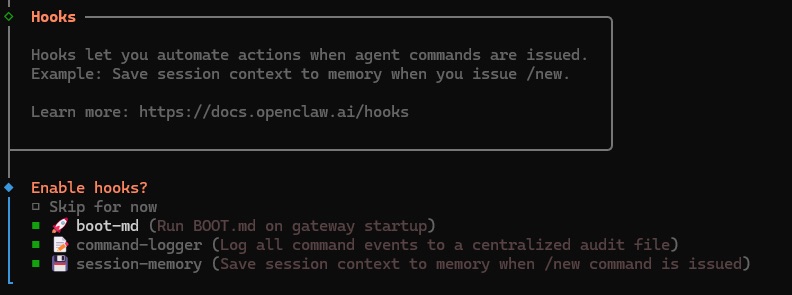
Follow the wizard: choose a model (Claude or GPT are recommended to start with, though you’ll need to purchase tokens). Using the wizard itself, we can configure the channel through which we’ll communicate with OpenClaw (Telegram or WhatsApp is easiest) and grant the basic permissions.
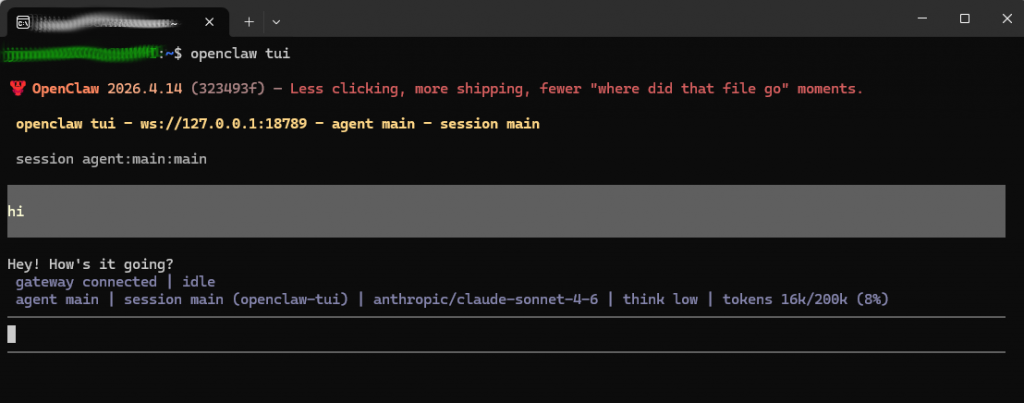
If you don’t want to set up a specific channel, you can always talk to OpenClaw through the terminal it comes with https://docs.openclaw.ai/web/tui.
Step 2: Test it
To talk to the bot, we can use the messaging app we’ve set up and start sending it commands such as:
- “What tasks do you have pending today?”
- “Create a shopping list for me with the products …”
- “Create a skill that summarizes the daily sales from the ERP.”
Or, if you haven’t set up any messaging channels, you can connect to the terminal by simply typing:
openclaw tuiwhere you can also communicate with the bot.
Step 3: Moving to NemoClaw
As mentioned, NemoClaw is a protective layer built on top of OpenClaw; in other words, understanding how OpenClaw behaves will help us understand how NemoClaw behaves.
At the time of writing, NemoClaw required Ubuntu 22.04+, though it could be installed with limitations on WSL2 on Windows and macOS (Apple Silicon).
To get started with NemoClaw:
Obtain an NVIDIA API key at build.nvidia.com.
Run:
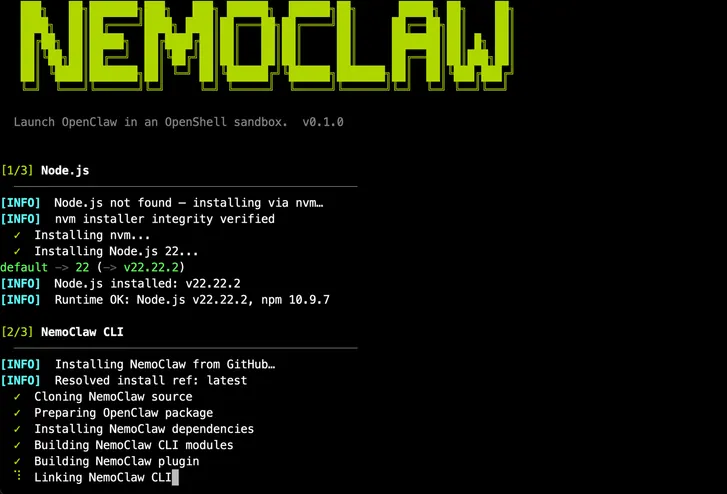
curl -fsSL https://www.nvidia.com/nemoclaw.sh | bashThe installer will guide you through creating a secure sandbox, configuring models for inference, setting up communication channels, and applying security policies. Much like OpenClaw.
To enter the NemoClaw protected environment, use the command:
nemoclaw my-assistant connectOpenClaw is the dream assistant that will work for us 24 hours a day. But if we want this assistant to have greater oversight over the data it accesses and the actions it performs (and thus avoid disasters), then NemoClaw is our solution.